roboforex
RoboForex Account Types: Which One to Open
- Difficulty
- Beginner
- Time
- 2 min
On this page
RoboForex offers several account types that mainly trade off spread vs commission and minimum deposit. Here's how to pick. New to the broker? Start with the RoboForex review.
The account types
The line-up splits by execution model and what you trade:
- Pro / ProCent — standard-execution accounts with floating spreads (from about 1.3 pips) and no separate commission; the cost sits in the spread. ProCent is the same account but cent-denominated — your balance and lots are counted in cents, so a small deposit trades like a micro account. Both are the beginner-friendly picks.
- ECN / Prime — raw-spread accounts (from 0.0 pips) that charge a per-lot commission instead. ECN runs about $20 per $1M traded (~$2 per standard lot per side); Prime is roughly half that (~$10 per $1M, ~$1 per lot per side). They pay off for active traders whose size makes the tighter spread outweigh the commission.
- R StocksTrader — a different platform for real shares and CFDs (around 12,000 instruments — 3,000+ real US stocks and 8,400+ CFDs, plus ETFs, indices and commodities), priced by a per-share/CFD commission rather than a forex spread. Minimum deposit $100.
| Account | Cost model | Min deposit | Best for |
|---|---|---|---|
| ProCent | spread from ~1.3 pips, no commission (cent-denominated) | $10 | beginners / tiny risk |
| Pro | spread from ~1.3 pips, no commission | $10 | simple all-in cost |
| ECN | raw spread from 0.0 + ~$2 / lot / side | $10 | active forex traders |
| Prime | raw spread from 0.0 + ~$1 / lot / side | $10 | high-volume traders |
| R StocksTrader | per-share / CFD commission | $100 | real shares & CFDs |
Spreads are floating, so the averages above move with the market — check the live figure for your pair in RoboForex's contract specifications. Leverage runs up to 1:2000 on Pro/ProCent (region- and promo-dependent, and lower on ECN/Prime — regulated regions cap it well below that), so confirm the ceiling that applies to you.
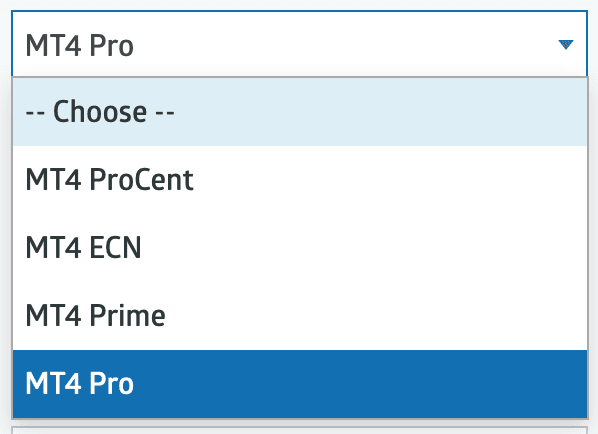
- 1ProCent, ECN, Prime, Pro — the four MT4/MT5 account types.
How to choose
- Just starting? A ProCent account lets you trade real conditions with minimal risk.
- Want simple costs? A commission-free Pro account.
- Trade actively? ECN/Prime raw spreads + commission usually work out cheaper at size.
- Want real stocks? R StocksTrader.
The headline cost is the spread plus any commission — see the RoboForex spreads & fees breakdown.
How to open an account
- Register in the RoboForex Members Area — email or phone number and a password.
- Open a trading account — choose the type (Pro, ProCent, ECN, Prime, or R StocksTrader), and for the forex accounts the platform (MT4 or MT5), base currency (USD or EUR) and leverage.
- Verify your identity (KYC) — upload proof of identity and address. This is required before you can withdraw (and to claim the welcome bonus).
- Fund it — from $10 ($100 for R StocksTrader) via card, e-wallet, crypto or bank transfer; deposits are fee-free. See deposit & withdrawal.
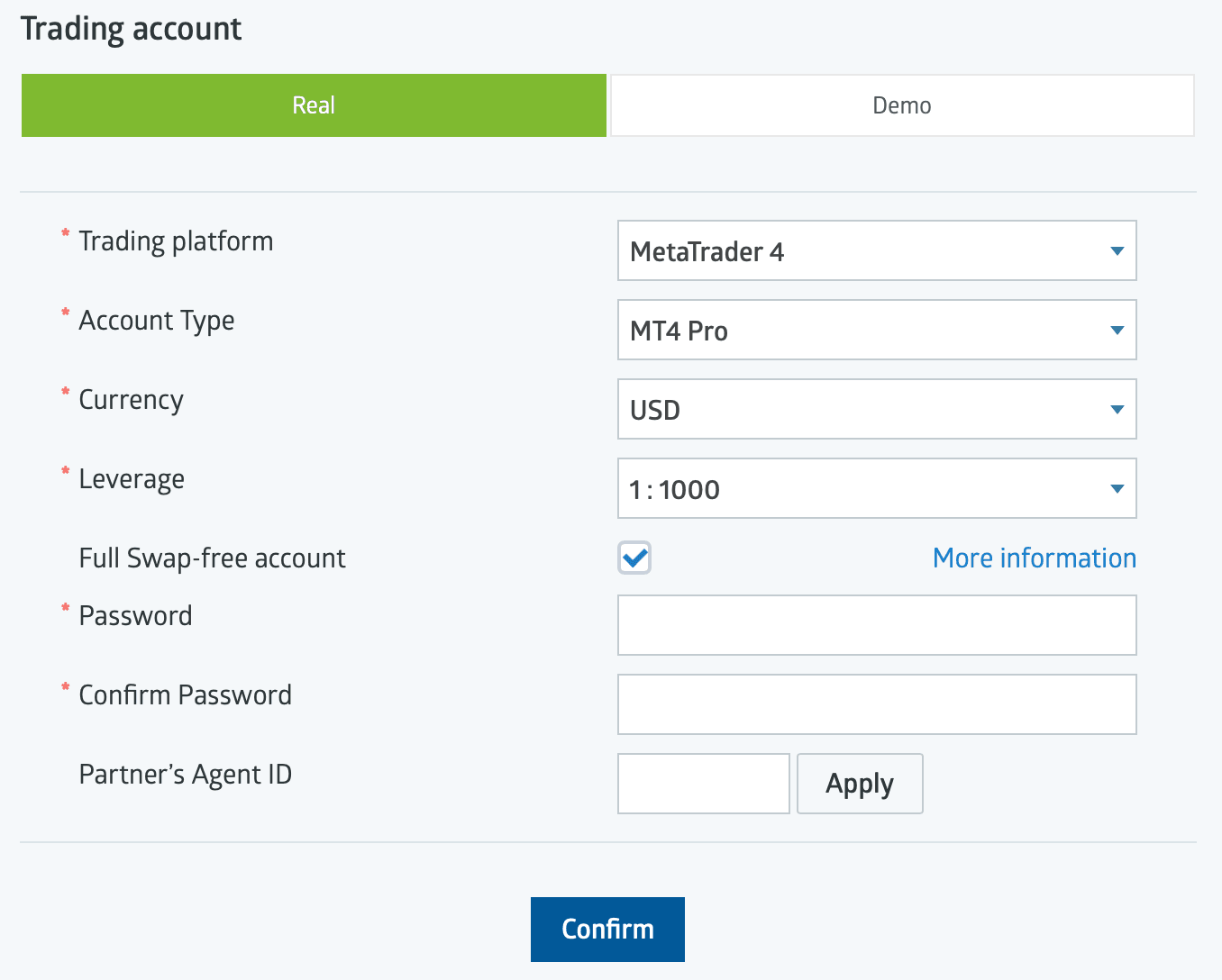
- 1Platform, account type, base currency and leverage.
- 2Optional Full Swap-free (Islamic) account.
Availability & regulation
RoboForex serves retail clients through its offshore entity (RoboForex Ltd, Belize FSC) — including markets such as India, Malaysia, Nigeria and South Africa — but does not accept UK, EU, Canada, Australia or US retail clients. As an offshore broker it offers no statutory investor-protection scheme (only the private Financial Commission, up to EUR 20,000 per case). Verified mid-2026; re-confirm at publication.
Not available to retail clients in: the United States, the United Kingdom, the EU/EEA, Canada, Australia.
Frequently asked questions
Related guides
RoboForex App: Mobile Trading on iOS and Android
RoboForex's mobile apps — the MetaTrader 4/5 apps, R MobileTrader, R StocksTrader and the Members Area app — what each does, how to download, and how to log in.
RoboForex Bonus & No-Deposit Bonus: What's Actually on Offer
RoboForex's bonuses explained — the current $30 Welcome Bonus, how it unlocks, the terms that decide whether it's worth it, and why a bonus is never a reason to pick a broker.
RoboForex CopyFX: How Copy Trading Works
RoboForex's CopyFX explained — how to copy a trader, how to become a provider, the fees, and the risks of copy trading.
How to Open a RoboForex Demo Account
A step-by-step walkthrough for opening a free RoboForex demo account and practising on MetaTrader with virtual funds — no risk, no deposit.
Written & tested by
The TradeCookbook team tests crypto exchanges and forex brokers on real, funded accounts and documents each step with original, dated screenshots. Every guide is fact-checked against primary sources and updated as platforms change.
- Hands-on testing on real, funded accounts
- Original, dated screenshots — never stock imagery
- Claims fact-checked against primary sources